When not to run Infrastructure in Docker
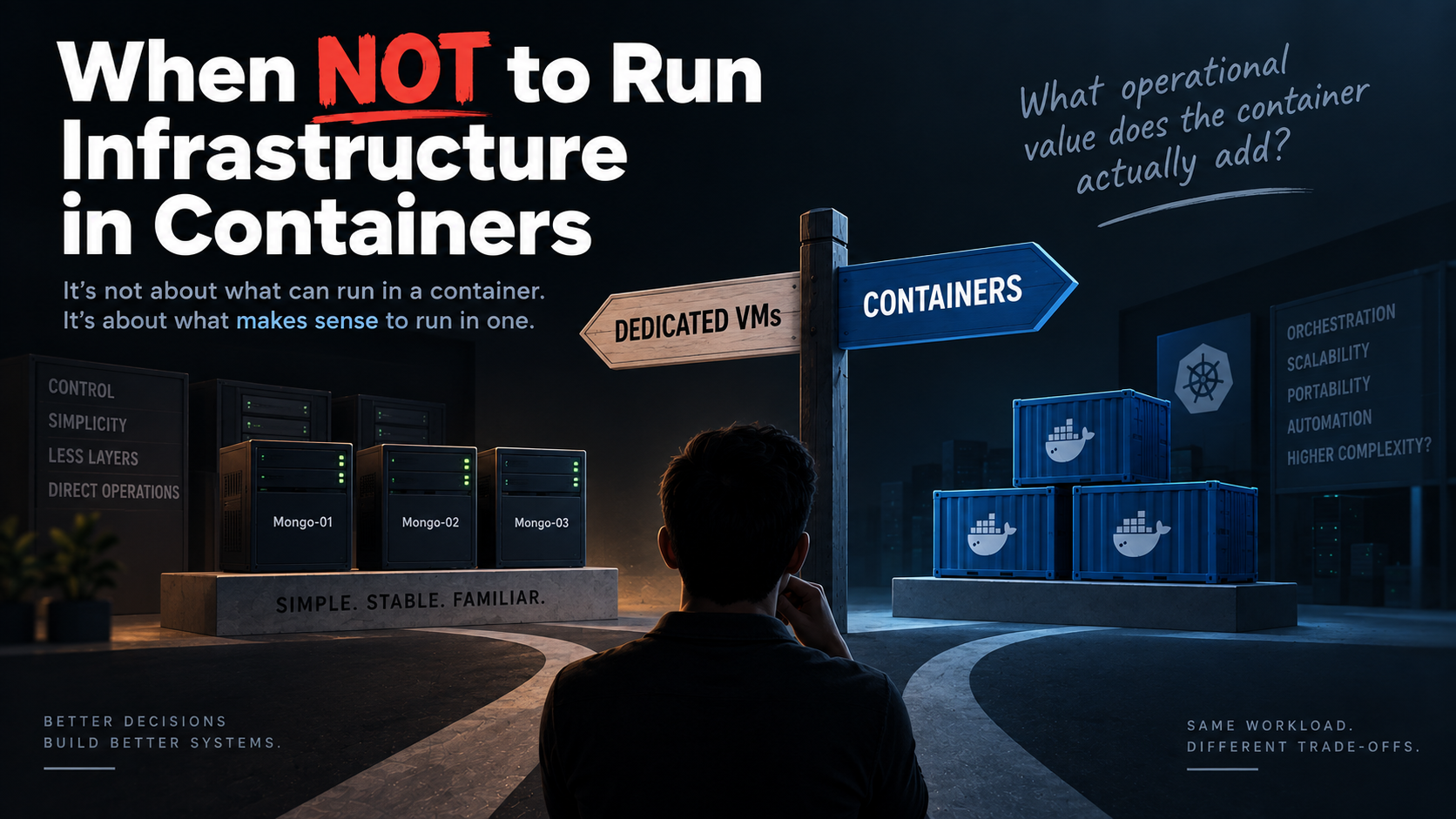
Just because you can run something in a container doesn't mean you should.
Containers have become the default deployment model for many workloads.
And for good reason.
They provide consistency, isolation, portability, and make it easier to package and deploy applications.
But when it comes to infrastructure components, there is another question worth asking:
Does running this workload in a container actually make it easier and safer to operate?
That question is more useful than simply asking whether something can run in a container.
Because technically, almost everything can.
The real decision is about operational value, complexity, lifecycle, state, and failure handling.
Containers Are Ephemeral — and That's the Point
Red Hat's 10 things to avoid in Docker containers makes an important point:
Containers are disposable.
A container can be stopped, destroyed, or replaced.
Important data therefore shouldn't depend on the container's lifecycle. It should live in persistent storage.
Consider a typical stateless application:
             Stateless Application

                  API
                   │
                   ▼
             ┌───────────┐
             │ Container │
             └─────┬─────┘
                   │
                   ▼
                Traffic

             Container dies
                   │
                   ▼
             ┌───────────┐
             │ Container │
             │    v2     │
             └───────────┘
Nothing particularly scary happens.
Why?
Because the container doesn't own the important state.
             Application Container
                    │
             ┌──────┴──────┐
             │             │
          Code          Configuration
                           │
                           ▼
                      External State
                      ├── Database
                      ├── Object Storage
                      └── Message Broker
The container can disappear.
The important state cannot.
That's one of the reasons containers work so well for stateless workloads.
For more background on container design and common pitfalls, see Red Hat's 10 things to avoid in Docker containers.
But What Happens When the Workload Owns the State?
Now consider MongoDB.
A production MongoDB replica set might look like this:
                    MongoDB Replica Set

                         ┌─────────┐
                         │ PRIMARY │
                         │ Mongo-01│
                         └────┬────┘
                              │
                         Replication
                    ┌─────────┴─────────┐
                    │                   │
              ┌─────▼─────┐       ┌─────▼─────┐
              │ SECONDARY │       │ SECONDARY │
              │ Mongo-02  │       │ Mongo-03  │
              └───────────┘       └───────────┘
These aren't simply three identical processes.
Each member has:
Persistent data
Replica-set identity
Replication state
Election behavior
Network identity
Recovery requirements
Backup requirements
Storage requirements
If the primary fails, the remaining members must coordinate an election and choose a new primary.
The database already has its own distributed-systems machinery.
That is what makes stateful infrastructure fundamentally different from a typical stateless application.
For MongoDB's official explanation of replica sets, elections, and high availability, see the MongoDB documentation on replica sets.
The Real Question Isn't "Can It Run in a Container?"
Imagine you have three VMs:
VM-01             VM-02             VM-03
  │                 │                 │
  ▼                 ▼                 ▼
Mongo-01          Mongo-02          Mongo-03
PRIMARY           SECONDARY         SECONDARY
You could run MongoDB directly on each VM.
Or you could run one MongoDB container on each VM:
VM-01             VM-02             VM-03
  │                 │                 │
Docker             Docker            Docker
  │                 │                 │
Mongo-01          Mongo-02          Mongo-03
PRIMARY           SECONDARY         SECONDARY
You can configure the containers correctly.
You can give each member persistent storage.
You can configure the replica set.
You can pin each container to its VM.
You can distribute the members across failure domains.
And yes:
This can absolutely be a highly available MongoDB cluster.
So the argument isn't:
"Containers can't run MongoDB."
They can.
The more interesting question is:
What did running MongoDB in containers actually buy us?
When the Container Adds Another Layer
Suppose your infrastructure already looks like this:
VM
 │
 ├── Docker
 │
 └── Swarm
      │
      └── MongoDB container
You deliberately pin MongoDB to a particular VM because each replica-set member has a specific identity, storage, and failure domain.
Now imagine that VM fails.
Can Swarm simply move that MongoDB container to another VM?
Not necessarily.
The workload may have:
Persistent storage attached to the original VM
A specific replica-set identity
Topology requirements
Failure-domain requirements
Network or storage dependencies
So you may have deliberately constrained the orchestrator's ability to treat the workload as freely movable.
And that raises an important architectural question:
If the orchestrator cannot freely manage the workload, what operational value is it providing?
You now potentially have:
VM
 │
 ▼
Container Runtime
 │
 ▼
Orchestrator
 │
 ▼
MongoDB
instead of:
VM
 │
 ▼
MongoDB
The containerized architecture isn't necessarily wrong.
It may simply be more complex without providing enough additional value.
For more detail on Docker Swarm's scheduling and service-management model, see the Docker Swarm mode documentation.
This Is the Important Distinction
The question isn't:
Can MongoDB run inside a container?
Of course it can.
The question is:
Does running MongoDB inside this
container platform make MongoDB
easier and safer to operate?
Those are very different questions.
A technology being capable of running a workload does not automatically mean it is the best deployment model for that workload.
Stateful Does Not Mean "Never Use Containers"
It would be just as wrong to say:
"Never run databases in containers."
Stateful workloads can absolutely run in containers.
The important question is whether the platform provides the capabilities needed to operate them correctly.
For example:
Persistent storage
Stable identity
Reliable networking
Replication
Backups
Recovery
Failure-domain awareness
Controlled lifecycle management
But there is another dimension that is often overlooked:
Does the platform actually understand the workload?
That's where the difference between a generic container scheduler and a workload-aware platform becomes important.
For Kubernetes' approach to running stateful applications, see the Kubernetes StatefulSets documentation.
Failure Domains Matter More Than Container Count
Suppose you run three MongoDB containers on one VM:
                    VM-01

          ┌─────────┬─────────┐
          │         │         │
      Mongo-01   Mongo-02   Mongo-03
You might say:
"I have three replicas. I'm highly available."
Not necessarily.
If the VM fails, all three members fail with it.
You have:
Three processes. One failure domain.
A more resilient design places the members across independent hosts or failure domains:
Physical Host A    Physical Host B    Physical Host C
       │                  │                  │
       ▼                  ▼                  ▼
   Mongo-01            Mongo-02            Mongo-03
    PRIMARY             SECONDARY           SECONDARY
The principle is:
High availability comes from independent failure domains, not simply from running more containers.
The same principle applies regardless of whether those MongoDB members run directly on VMs or inside containers.
For Kubernetes scheduling controls that help distribute workloads across hosts and failure domains, see the Kubernetes documentation on assigning Pods to nodes.
When Does Running MongoDB in Containers Make Sense?
Running MongoDB in containers can make sense when the platform provides meaningful operational capabilities around the database.
For example, Kubernetes provides primitives such as:
StatefulSets for stable identity and controlled lifecycle
Persistent volumes for durable storage
Services for networking
Operators for workload-specific automation
A MongoDB Operator adds knowledge about MongoDB's topology and lifecycle.
Instead of simply asking Kubernetes to run three containers, you describe the desired MongoDB configuration.
The platform can then manage the required Kubernetes resources, including MongoDB Pods, persistent volumes, and replica-set members.
The abstraction becomes:
Generic container platform:

"Run this container."
versus:
Kubernetes + MongoDB Operator:

"Manage this MongoDB deployment
according to its replication,
storage, topology and lifecycle
requirements."
That's a much more meaningful reason to use containers.
The container isn't valuable simply because it is a container.
The surrounding platform is providing operational value.
For an example of workload-aware MongoDB automation on Kubernetes, see the MongoDB Kubernetes Operator documentation.
Dedicated VMs vs Kubernetes + Operator
MongoDB Directly on VMs
Running MongoDB directly on VMs can be an excellent choice when:
You already operate VMs
You don't have Kubernetes
Your team is comfortable managing MongoDB
You want fewer infrastructure layers
Persistent storage is straightforward
You can distribute nodes across failure domains
This approach can be easier to understand and troubleshoot because there are fewer moving parts.
VM-01 ── MongoDB
VM-02 ── MongoDB
VM-03 ── MongoDB
There is nothing inherently less reliable about this architecture.
For MongoDB's production deployment and operational guidance, see the MongoDB Production Notes.
Kubernetes + MongoDB Operator
Kubernetes may be a good choice when:
Your organization already runs Kubernetes
Kubernetes is your standard infrastructure platform
Your team understands Kubernetes storage
You have mature monitoring and backup processes
You want declarative infrastructure
You want workload-specific lifecycle automation
In this case, Kubernetes isn't merely being used to run containers.
It becomes part of an operational platform that can manage the workload declaratively.
However, Kubernetes does not automatically make MongoDB easy to operate.
You still need to understand:
Storage
Backups
Upgrades
Networking
Failure domains
Recovery
The platform can help manage the workload.
It doesn't eliminate the need to understand the workload.
For guidance on persistent storage in Kubernetes, see the Kubernetes Persistent Volumes documentation.
The Question That Belongs in an Infrastructure ADR
This is the question I would want to see explicitly answered in an infrastructure Architecture Decision Record:
What operational value does running this workload in a container provide?
Not:
"Can it run in Docker?"
Not:
"Can Kubernetes run it?"
Not:
"Is containerization the modern approach?"
But:
What problem are we solving by choosing this deployment model?
For an infrastructure component, the ADR should make the trade-off explicit.
Ask:
Does the workload own important state?
How will that state be stored and backed up?
What happens when its node fails?
Does the platform understand the workload's lifecycle?
Does the orchestration layer provide meaningful operational value?
Are we introducing complexity without a corresponding benefit?
Is there a simpler deployment model that satisfies the requirements?
Can the team confidently operate and recover the workload?
If the answers aren't clear, a simpler deployment model may be safer.
The Practical Rule
Don't start with:
"Everything should run in containers."
And don't start with:
"Stateful workloads should never run in containers."
Start with:
"What deployment model gives us the best operational characteristics for this workload?"
For MongoDB, that might mean running replica-set members directly on well-managed VMs.
In an organization that already operates Kubernetes effectively, it might mean using a MongoDB Operator with persistent storage and proper failure-domain placement.
Both can be valid.
The architecture should explain why one was chosen.
Final Takeaway
The lesson isn't:
❌ Never run MongoDB in containers.
And it isn't:
❌ Everything should run in containers.
It is:
Don't choose a deployment model just because the technology supports it.
Containers are excellent when they provide meaningful operational benefits.
But infrastructure components often have their own state, identity, topology, storage, and recovery requirements.
So before putting an infrastructure component behind another abstraction, ask:
What does this abstraction actually buy us?
The right question isn't:
"VM or container?"
It's:
"Which deployment model best fits the lifecycle, state, failure modes, recovery requirements, and operational model of this workload?"
Sometimes the answer is Kubernetes.
Sometimes it is a containerized workload on VMs.
And sometimes the best answer is simply:
Run it directly on the VM.
That's not being anti-container.
That's making an architecture decision.